Every successful web application, API backend, or multiplayer gaming network eventually hits the same wall: the physical limits of a single server. At first, upgrading your CPU cores and adding more RAM (vertical scaling) keeps things running smoothly. However, when a sudden product launch, viral event, or weekend gaming rush sends thousands of concurrent connections to your IP at the exact same second, even a powerful single server can choke, drop packets, or crash completely.
How do large e-commerce platforms, SaaS dashboards, and massive Minecraft networks stay online at blazing speeds without ever going down for maintenance? They stop relying on a single server and deploy Load Balancing.
Whether you are scaling a high-traffic web portal, running microservices on NGINX and HAProxy, or distributing hundreds of players across multiple Lobby and SMP nodes on CloudLaag, understanding how load balancing works is the key to unlocking zero-downtime reliability and lower response times.
A. Load Balancer acts as an intelligent digital traffic cop sitting in front of your backend servers. Instead of letting users connect directly to a single web or game server, all incoming client traffic hits the load balancer's public IP address first.
The load balancer inspects the incoming request and forwards it to one of several identical backend servers (called a server pool or cluster) in milliseconds.
- Traffic Distribution: Prevents any single server from hitting 100% CPU usage while other servers sit idle.
- Automated Health Checks: Pings your backend nodes every few seconds. If Server A crashes or goes offline for an OS update, the load balancer instantly redirects all live traffic to Server B and Server C with zero downtime for the end user.
- SSL Termination & Security Filtering: Handles heavy encryption handshakes and filters out junk connection spikes at the front door so your backend CPUs only spend power on actual application logic.
Many developers ask: "Does adding a load balancer make a slow server faster?"
The honest technical answer is yes, under load, but with one important distinction. A load balancer will not make a single poorly coded database query run faster on an empty server. What it dramatically improves is concurrency, response time stability, and uptime under heavy traffic:
| Performance Metric | Single Large Server (Vertical Scaling) | Load-Balanced Cluster (Horizontal Scaling) |
|---|---|---|
| Single Point of Failure | High Risk (If the server reboots, your entire app dies) | Zero (Traffic automatically fails over to healthy nodes) |
| Peak Traffic Handling | CPU queues build up; latency spikes past 1,000ms | Evenly distributed; response times stay flat and fast |
| Hardware Ceiling | Hard-capped by motherboard RAM and single-CPU limits | Unlimited (Add new VPS nodes to the pool in minutes) |
| Maintenance Windows | Requires scheduled offline downtime | Rolling updates with 100% live availability |
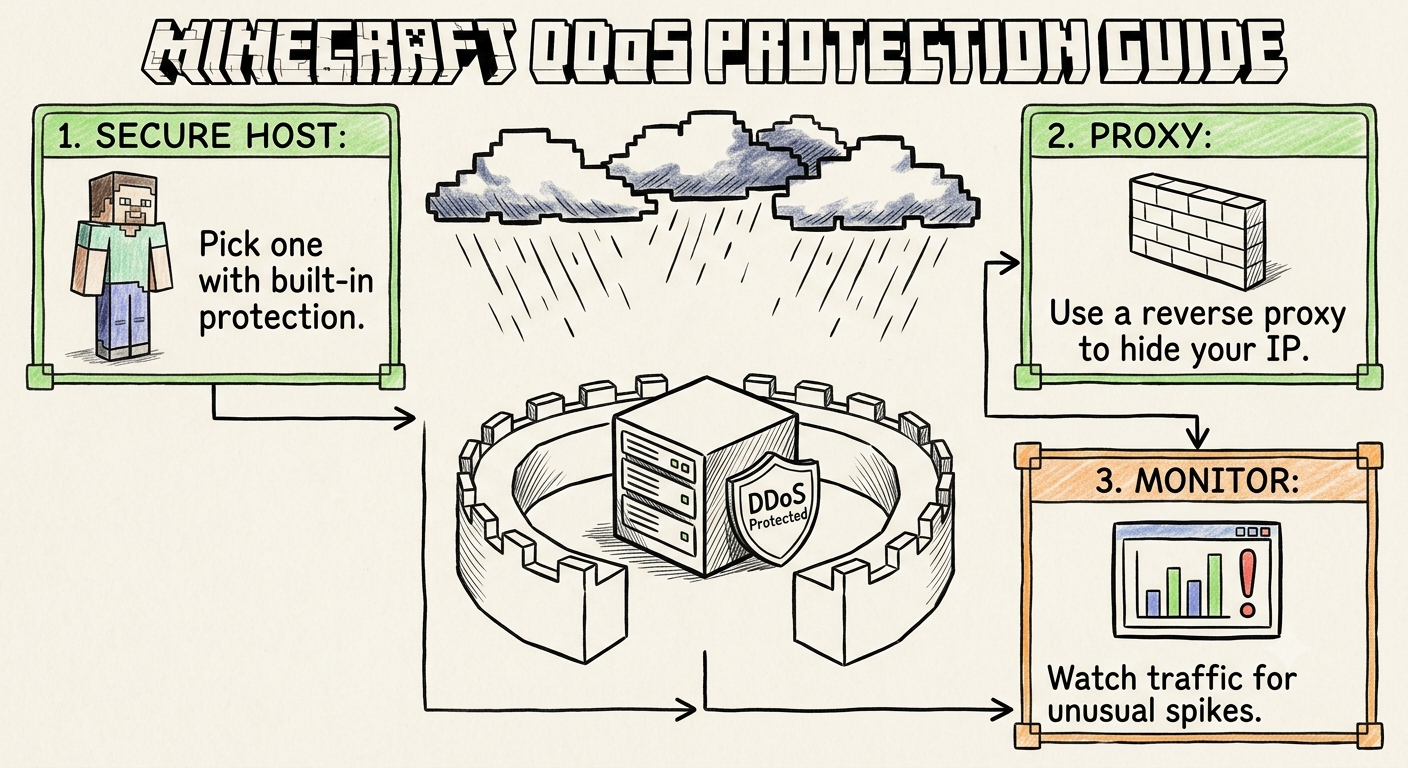
| DDoS & Bot Resilience | Direct hits can saturate the application thread | Frontend proxy absorbs and scrubs connection floods |
Load balancers operate at two different layers of the OSI networking model depending on what you are hosting:
Layer 4 load balancers look only at the network packet's IP address and destination port (such as Port 25565 for Minecraft or Port 8211 for Palworld). Because they do not open or read the data inside the packet, they are blazingly fast and add almost zero latency.
Layer 7 load balancers (such as NGINX, HAProxy, or Traefik) inspect the actual content of the request, including URLs, HTTP headers, and user cookies.
How does the load balancer decide which backend server gets the next user? You can configure four primary algorithms:
- Round Robin: Sends User 1 to Server A, User 2 to Server B, and User 3 to Server C in a continuous loop. Best when all your backend VPS nodes have identical CPU and RAM specs.
- Least Connections: Sends the new user to whichever server currently has the fewest active players or open HTTP sessions. Best for chat apps and game lobbies where session lengths vary wildly.
- IP Hash (Sticky Sessions): Uses the visitor's IP address to ensure they always reconnect to the exact same backend server. Crucial for web apps that store shopping carts or login states in local memory.
- Lowest Latency / Geo-Routing: Routes a user in North India to a Delhi node and a user in West or South India to a Mumbai node for the lowest possible millisecond ping.
If you run a growing Minecraft network, you cannot simply put a generic web load balancer in front of a single world file. Instead, high-pop gaming networks use a Multi-Proxy & Multi-Lobby Architecture:
Load balancing only works if the underlying virtual servers and internal network pipelines are fast enough to communicate without delay. If your load balancer sits on a laggy network or your backend nodes suffer from slow disk I/O, distributing traffic will still result in slow page loads and database locks.
Deploying your load-balanced architecture on CloudLaag gives you the exact building blocks required to scale effortlessly:
- Keep Your Application Stateless: Before adding a second web or game lobby server, move user sessions, player permissions, and uploads out of local folders and into a central Redis or MySQL database so every server in your pool sees the exact same data.
- Follow Official Configuration Guides: System administrators can review NGINX reverse proxy configs, Velocity multi-lobby setups, and UFW port lockdown rules inside the official CloudLaag technical docs.
- Explore Scaling Benchmarks: Keep up with the latest tutorials on Docker container clustering, database replication, and server optimization on the CloudLaag network blog page.
Can load balancing improve your hosting performance? Absolutely, once your traffic outgrows a single machine. While vertical scaling (buying a bigger CPU and faster NVMe storage) is always step one, horizontal load balancing is how you eliminate single points of failure, survive massive traffic spikes, and achieve true 99.99% uptime.
By deploying your load balancer and backend server nodes on high-frequency VPS hosting and Minecraft infrastructure powered by CloudLaag, you combine raw AMD single-core speed with rock-solid distributed architecture to keep your applications fast under any load.

Wednesday, July 1, 2026