Managing a growing multiplayer community requires a constant balancing act between introducing new features and maintaining stable hardware execution. Many first-time owners assume that throwing expensive hardware or massive RAM allocations at a lagging system will instantly resolve performance drops. However, without strict backend optimization, even top-tier enterprise processors will eventually choke under the weight of unmanaged entities, heavy chunk generation, and poorly configured plugins.
A laggy multiplayer world drops your server Ticks Per Second (TPS) below the ideal 20.0 benchmark, causing noticeable rubber-banding, delayed block breaks, and a frustrating player experience.
Whether you are launching a private survival co-op or managing a large public network on high-speed infrastructure like CloudLaag, implementing these top 15 Minecraft server optimization tips will keep your gameplay fluid, stabilize your memory overhead, and ensure maximum performance.

Never run a public multiplayer setup on the default Vanilla Mojang server jar or basic Spigot forks. Always upgrade your core engine to Paper or Purpur. These optimized forks introduce asynchronous chunk loading, severe exploit patches, and deep configuration settings that dramatically outperform standard vanilla jars under multi-user loads.
When players explore unknown regions, the CPU is forced to generate terrain, compute structures, and write chunk sectors to the storage drive simultaneously. This process is the leading cause of sudden TPS drops. Use a world pre-generation plugin like Chunky to pre-render your entire map radius before opening the server to the public.
The server's internal view distance dictates how many chunk rings load around every connected player. Keeping this value at the default 10 or higher will quickly overwhelm your system. Reduce your view-distance setting to 6 or 8 inside the server.properties directory to lower active chunk counts exponentially.
Modern game engines allow you to separate simulation distance from visual view distance. By modifying the simulation-distance variable to 4 or 5, you restrict the distance at which mobs, redstone, and crops actively tick, while still allowing players to see chunks further away without processing lag.
Default mob spawning limits are designed for single-player environments and stack destructively when multiple players are online. Open your bukkit.yml file and reduce the hard limits for monsters, animals, and ambient entities per player to significantly free up processing cycles.
The Entity Activation Range (EAR) setting controls how close a player must be to a mob for its AI pathfinding routines to fully execute. Inside your spigot.yml configuration, lower the activation distance for animals, monsters, and miscellaneous entities so background mobs stop draining single-threaded CPU power when no one is near them.
By default, dropped items float on the ground for 5 minutes (6000 ticks) before despawning. Automated mob grinders and farm systems can drop thousands of loose entities onto the ground, causing severe graphic and hardware lag. Lower the item despawn rate to 1200 or 2400 ticks inside your configuration folders.
Minecraft relies heavily on continuous read/write storage cycles to save player state changes and render map chunks. Running your infrastructure on legacy SATA hard drives will create immense system bottlenecks. Utilizing the modern NVMe SSD architecture provided across the CloudLaag network ensures that disk I/O operations complete instantly without choking your system.
The Java Virtual Machine (JVM) regularly runs background cycles to clean up unutilized memory. If configured incorrectly, these "garbage collection" processes can lock up your server threads for a fraction of a second, causing micro-stutters. Always launch your server jar using Aikar's Flags to optimize memory handling and prevent massive collection spikes.
Shared game panels often slice a single physical server among hundreds of clients, leaving your network exposed to "noisy neighbors" who steal processing cycles. Upgrading your backend structure to an isolated virtual private server (VPS) container guarantees that your allocated CPU threads and RAM pools belong exclusively to you, maintaining rock-solid performance stability.
When automated farms breed hundreds of chickens, cows, or sheep into a single block space, the dense collision calculations will tank your server frame times. Configure your spigot.yml settings to automatically merge stacked items and nearby experience orbs into single grouped entities.
Complex redstone sorting systems, flying machines, and fast clocks calculate hundreds of state transitions every second. If your community has advanced technical builders, implement optimization plugins like PandaWire or use Paper's native redstone algorithm options to compress redundant physics ticks.
Never guess what is causing system lag. Use built-in diagnostic tools like Paper's /timings interface or install the Spark mod/plugin. These profilers actively record server execution loops, giving you comprehensive breakdowns of exactly which plugin, event handler, or entity group is consuming your processing budgets.
It is tempting to install dozens of custom plugins to add cosmetic features and unique mechanics. However, every added jar hooks directly into the core tick loop. Keep your software profile clean, replace bloated multi-functional plugins with lightweight alternatives, and delete any legacy assets that are no longer actively required.
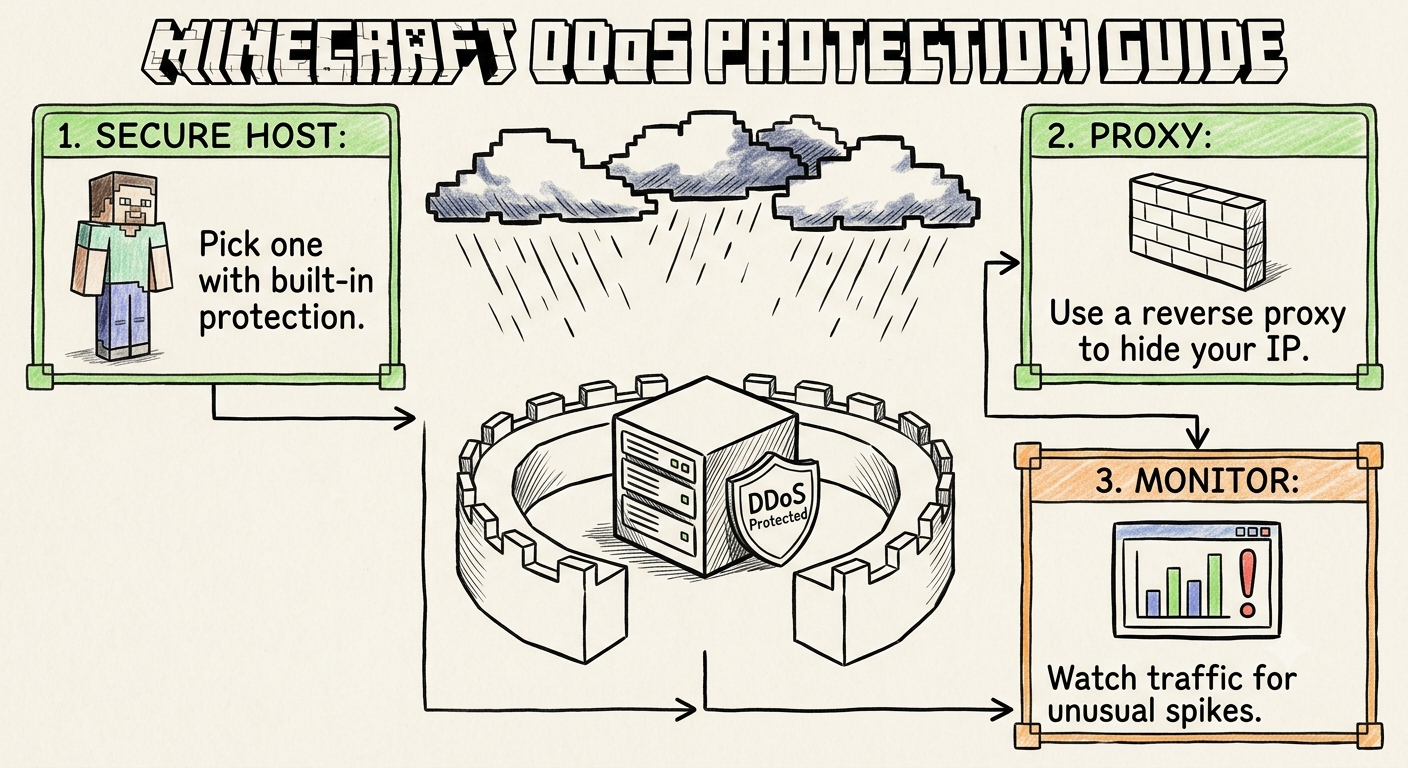
Malicious bot floods, exploit scanners, and volumetric DDoS attacks can easily overwhelm your system firewall, consuming massive amounts of CPU processing power just trying to reject bad packets. When you manage your community spaces under CloudLaag, your virtual machines remain protected by automated, Always-On DDoS Protection. Their protocol-aware edge scrubbers absorb network attacks before they ever touch your container, keeping your internal processing lines fully open for game logic loops.
A smooth, high-performance multiplayer experience is built on smart configuration choices rather than just purchasing raw resource limits. By upgrading to an optimized engine jar like Paper, pre-generating your world borders, managing active entities tightly, and hosting your environment within an isolated, low-latency VPS environment backed by CloudLaag, you build a resilient, lag-free network capable of scaling effortlessly while maintaining flawless sub-40ms routing across India.

Friday, July 17, 2026

Thursday, July 16, 2026

Wednesday, July 15, 2026

Monday, July 13, 2026

Wednesday, July 15, 2026