LaagTech

LaagTech

HomeDocumentationBlogCommunity
LaagTech

© Copyright 2024-2025 LaagTech. All Rights Reserved

CloudLaagLaagTechDiscord
Back to blog

Thursday, July 16, 2026

Common Mistakes New Minecraft Server Owners Make
SOsourasish
cover

Launching a brand new Minecraft multiplayer world is an exciting milestone for any creator, developer, or gaming community administrator. The dream of building a bustling hub filled with active players, custom features, and unique economies drives hundreds of new projects every week.
However, running a successful node requires more than just launching server software and sharing an IP address. The learning curve for server management can be steep, and many first time administrators unknowingly fall into structural traps that lead to severe game lag, data loss, or network vulnerabilities.
If you are setting up your fresh multiplayer container on enterprise infrastructure like CloudLaag, avoiding these common missteps will save you massive amounts of troubleshooting time, keep your operating costs low, and ensure your community enjoys a flawless gaming experience.

1. Falling for the "More RAM Fixes Everything" Trap

Written by

SO
sourasish

@shilpisarkar1978

Published

Jul 16, 2026

Language

English

Tags

Common Minecraft server mistakesCloudLaag server setupMinecraft server optimizationCloudLaag VPS hostingCloudlaag2026

More to Read

Recommended for this article

The single most common misunderstanding among beginners is assuming that allocating excessive memory will automatically cure server lag.

The Core Issue

The server engine is heavily reliant on single core CPU processing performance. While RAM is critical for holding entity states, loaded chunks, and plugin data, the actual server speed (Ticks Per Second, or TPS) is dictated by how fast a single CPU core can execute game loops.
If your machine runs on an outdated or heavily shared processor pool, throwing 16GB of RAM at the container will not stop it from lagging. When you deploy your setup through the CloudLaag platform, you get high clock speed processors that handle these computation loops efficiently, ensuring that your allocated memory works at peak performance without intense garbage collection stutters.

2. Using the Default Vanilla Server Jar for Public Play

Many newcomers download the standard vanilla server files directly from the official Mojang launcher page and immediately open it up to a broad group of players.

Why It Breaks

The default vanilla engine is completely unoptimized for handling multi user networks. It processes chunk rendering, entity tracking, and internal physics in a highly rigid manner. When just a few players start exploring opposite ends of the world simultaneously, the single threaded architecture bottlenecks instantly.

The Solution

Experienced administrators always swap out the default jar for highly optimized third party alternatives like Paper, Purpur, or Fabric combined with server side performance mods. Managing these modern engines inside a custom CloudLaag environment gives you the ideal baseline to introduce asynchronous thread processing and structural performance fixes that keep your Minecraft world running smoothly at a clean 20.0 TPS.

3. Ignoring World Pre-Generation

When players explore your map, the server is forced to generate entirely new terrain, calculate structures, and write fresh chunk data to the storage drive all at the same time. This puts immense strain on your physical hardware.
If multiple players fly off into unknown territories using Elytras or fast mounts, the continuous chunk generation will instantly drop your server TPS and cause severe rubber banding for everyone online.
Always utilize a world pre generation tool (such as the Chunky plugin) to pre render your world borders before welcoming the public. By using the high speed NVMe drives provided with every CloudLaag deployment, the system simply reads existing chunk data from the storage layers instantly instead of wasting massive CPU power computing new blocks in real time.

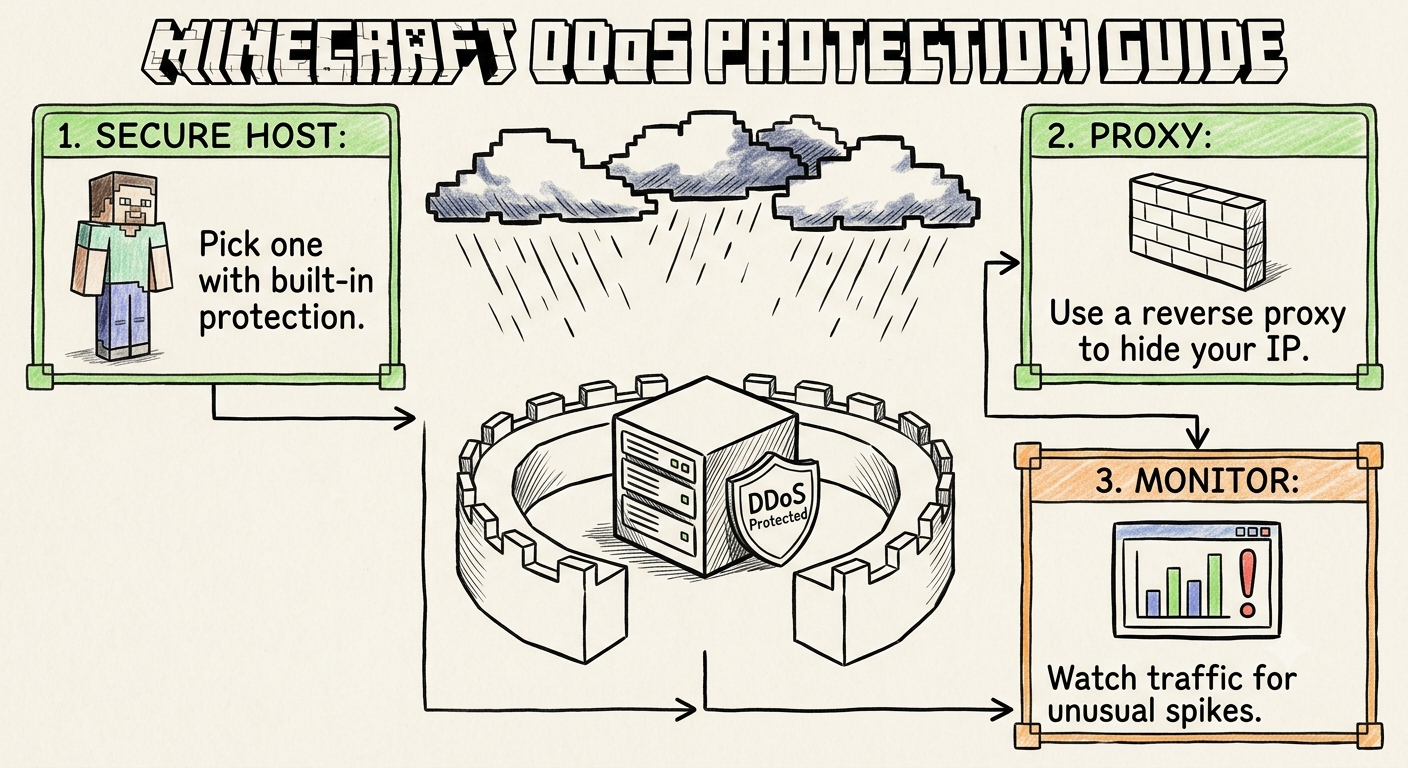
4. Underestimating Network Security and DDoS Threats

Online gaming networks are continuous targets for malicious exploits, griefers, and bot networks looking to knock nodes offline out of spite or competition.
Many new owners assume their basic server firewalls are enough, only to watch their systems get completely overwhelmed by a simple volumetric network flood. If you host your setup on a generic shared environment, your provider might instantly blackhole or permanently suspend your container during an attack to prevent their other clients from suffering.
Deploying your community on a dedicated VPS node backed by localized networks completely bypasses this risk. The CloudLaag network infrastructure comes equipped with advanced, Always On DDoS Protection that automatically filters out malicious traffic before it ever hits your processing container. This protocol aware protection scrubs out bot floods smoothly, letting valid players connect without draining your underlying system resources.

5. Neglecting Automated Backup Protocols

Imagine spending weeks configuring complex custom plugins, building beautiful spawns, and growing a player base, only to lose everything instantly to a corrupted data sector or a faulty configuration file.
Many new server owners fail to set up regular, offsite backup intervals. A single broken database plugin or an unhandled crash can easily corrupt your core directory beyond repair. By utilizing the management frameworks available within the CloudLaag environment, you can easily enforce automated backup intervals that bundle your server assets and securely save your data history.

Configuration and Management Guidelines

  1. Keep Your Team In The Loop: Optimization and network security are shifting landscapes. Ensure your administration staff stays technically sharp. System managers can explore precise server hardening and configuration frameworks by studying verified setup workflows inside official CloudLaag technical docs and developer wikis.
  2. Follow Evolving Engine Updates: Game mechanics and optimization tricks change with every version launch. Keep up with the latest software patches, hardware tuning steps, and cloud deployment features by regularly reading through specialized technical write ups on the CloudLaag network blog page.
  3. Limit Simulation Distance Separately: In your backend files, keep your view distance at a sensible baseline (like 6 to 8 chunks) and decouple your simulation distance to handle entity loading independently. This single adjustment dramatically reduces the processing burden on your server cores.

Conclusion

Running a reliable Minecraft multiplayer hub comes down to making smart architectural decisions early on. By choosing an optimized server jar, pre generating your world boundaries, allocating an appropriate amount of memory, and hosting your environment on an isolated, secure VPS pipeline managed by CloudLaag, you build a resilient platform that can grow effortlessly without falling victim to early operational failures.

Shared vs. VPS Hosting: A 2026 Guide

Shared vs. VPS Hosting: A 2026 Guide

Wednesday, July 15, 2026

Best Minecraft Hosting in India (2026 Complete Guide)

Best Minecraft Hosting in India (2026 Complete Guide)

Monday, July 13, 2026

Paper vs Fabric vs Forge vs Vanilla: Server Engine Guide

Paper vs Fabric vs Forge vs Vanilla: Server Engine Guide

Thursday, July 16, 2026

Ubuntu vs. Debian: VPS Performance Comparison

Ubuntu vs. Debian: VPS Performance Comparison

Wednesday, July 15, 2026